How to Select Clinic Software for Your Practice
Every doctor reaches a point where paper registers, prescription pads, and manual appointment books just don’t keep up. You miss follow-ups. Prescriptions get misplaced. Billing takes too long. That’s when clinic software becomes not just helpful — but essential.
But with so many options available, how do you choose? This guide breaks down the three main types of clinic software — Online, Offline, and Hybrid — and shows you clearly why thousands of Indian doctors have made MyOPD their trusted practice management solution.
The First Question to Ask: Internet or No Internet?
Before anything else, think about your clinic’s internet reliability. This single factor will determine which type of software actually works for you — not just on paper, but in your day-to-day practice.
Option 1: Online Clinic Software (Cloud-Based)
Cloud-based software runs entirely on the internet. Your data lives on a vendor’s server, and you access it through a browser or app.
Sounds convenient — but here’s the reality for most Indian clinics:
- If your internet is slow, your software is slow. If internet is down, you cannot work.
- You pay a recurring subscription per year — every year, without fail.
- Stop paying? Many vendors restrict or block access to your own patient data.
- You are dependent on the vendor’s servers — if they go down, your clinic stops.
- You also bear internet charges on top of the subscription fee.
Online software makes sense for large multi-location hospital chains with dedicated IT teams and guaranteed high-speed internet. For most independent doctors and small clinics in India, it creates more problems than it solves.
Option 2: Offline Clinic Software (Desktop-Based)
Offline software is installed directly on your computer. No internet needed — ever.
It sounds safe, but there are real risks:
- Your data lives only on your computer. If your hard drive fails or your laptop is stolen, your entire patient database could be gone.
- USB and external drive backups can also fail — and most doctors forget to back up regularly.
- SMS appointment reminders require purchasing and setting up a separate device.
- No access from your phone or from outside the clinic.
Offline software is a step up from paper — but it leaves your valuable patient data exposed to hardware failure, with no easy recovery path.
Option 3: Hybrid Clinic Software — The MyOPD Advantage
What if you didn’t have to choose between the speed of offline and the safety of cloud? That’s exactly what MyOPD delivers with its Hybrid approach — and it’s why MyOPD has become the preferred clinic software for doctors across India.
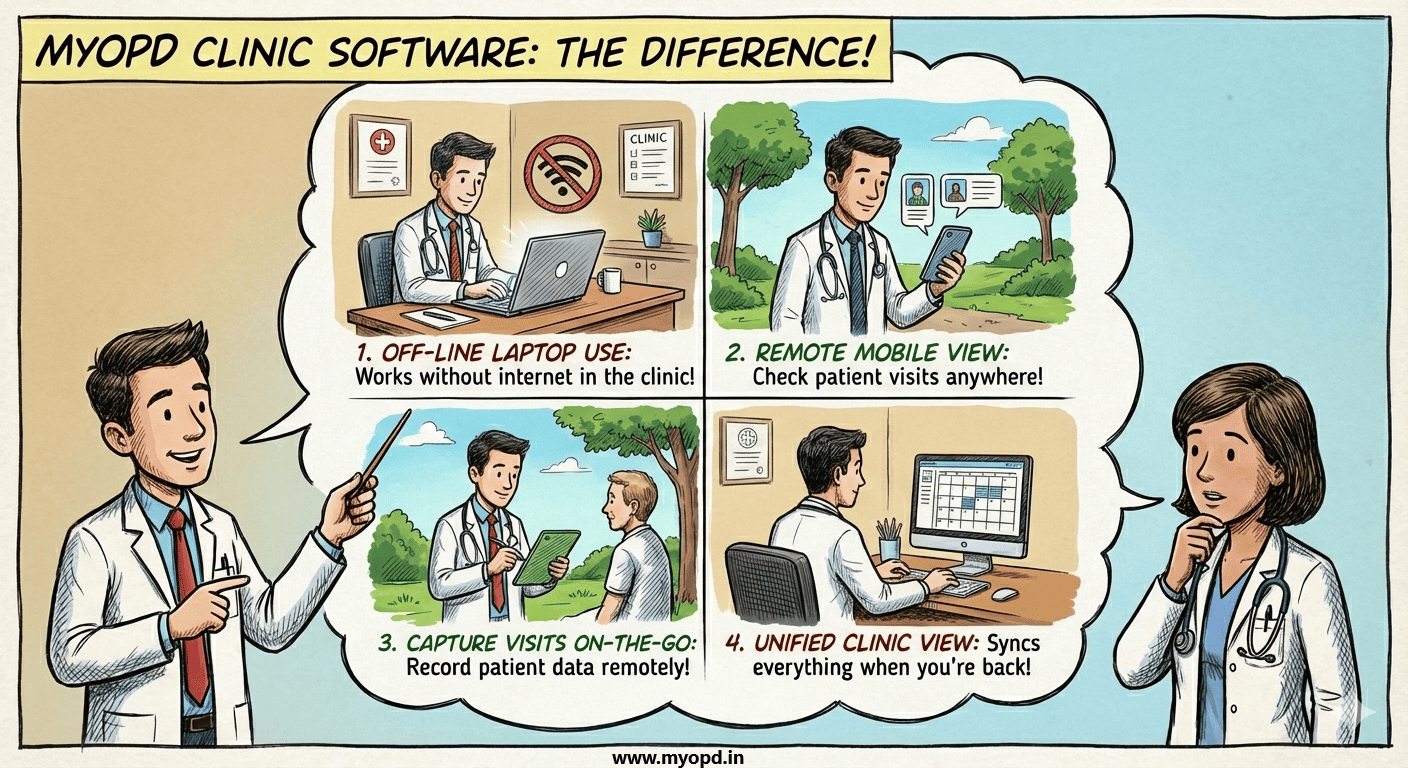
Here is how MyOPD works differently:
- Installed on your Windows laptop — runs fast locally, just like offline software. No lag, no internet dependency for daily use.
- Works completely without internet during your OPD. Connect once a day — from home or hospital — and MyOPD automatically syncs and backs up your data to the cloud. Your data is always safe.
- MyOPD All In One App available on Android and iOS lets you check patient details, appointment history, and records on your phone — even without internet.
- Appointment reminders and follow-ups are sent automatically via SMS or WhatsApp from MyOPD’s cloud server. No extra device needed.
- Stop the AMC? Your installed software keeps working and all your data stays with you. No one holds your data hostage.
- Professional prescriptions printed in 13 languages: English, Hindi, Marathi, Gujarati, Kannada, Tamil, Telugu, Punjabi, Bengali, Odia, Malayalam, Urdu, and Arabic — clear enough for any patient to understand.
Why Thousands of Indian Doctors Choose MyOPD
MyOPD is built specifically for the realities of Indian medical practice — not adapted from a foreign product:
- Designed for high patient volumes — ideal for Physicians, Pediatricians, Gynecologists, and ENT specialists who see 50–100+ patients a day.
- Works reliably even in cities and towns with inconsistent internet.
- No risk of losing your patient data — ever. Daily automatic cloud backup protects you.
- Affordable annual maintenance — and you’re never locked out if you stop.
- Trusted by doctors across India for years, with a track record of stability and continuous improvement.
- Local language support means your patients — including elderly ones — can read and follow prescriptions without confusion.
Online vs Offline vs Hybrid (MyOPD) — At a Glance
[TIP: In WordPress, replace this table by inserting a Table block or use TablePress for better mobile display]
| Feature | Online (Cloud) | Offline (Desktop) | Hybrid (MyOPD ✓) |
| Internet Required | Always needed | Never needed | Optional — sync once/day |
| Speed | Depends on internet | Fast (local) | Fast (installed locally) |
| Works During Outage | ❌ No | ✅ Yes | ✅ Yes |
| Data Safety | Cloud (vendor holds it) | Risk if PC crashes | Daily auto cloud backup |
| Data Ownership | Vendor controls | You own it | You own it — always |
| Multi-device Access | Yes (any device) | No | Laptop + Android app |
| SMS Reminders | Auto from cloud | Needs extra device | Auto from cloud |
| Multilingual Print | Varies by vendor | Varies by vendor | 13 Indian languages ✓ |
| Stop Paying? | May lose access | Software still works | Software still works |
| Best For | Multi-location clinics | Low-internet areas | Most Indian clinics ✓ |
Also Consider: Which MyOPD Product Should You Use?
Beyond the software type, your device matters. MyOPD runs on Windows laptops and PCs, with an Android app for mobile access. If you’re deciding between devices for your clinic, our detailed product selection guide will help you choose the right hardware alongside your software.
Ready to Run a Smarter Clinic?
You’ve worked hard to build your practice. Your clinic software should protect it, not create new problems. MyOPD gives you the speed of offline software, the safety of cloud backup, and the convenience of mobile access — at a price that makes sense for Indian doctors.
Join thousands of doctors who have already made the switch.
Have questions before you decide? View our sample prescriptions in multiple languages, or contact us — we’re happy to walk you through the software before you commit.
How to Select Clinic Software for Your Practice Read More »