Every doctor who has run a busy OPD knows the feeling. A patient walks in and asks about a visit from two years ago. Your assistant flips through register after register. Five minutes pass. The prescription pad from that visit is gone. The diagnosis — gone with it.
Paper-based clinics aren’t just inefficient. They are increasingly a liability: for your time, for your patients, and for the long-term health of your practice.
The good news is that going paperless is no longer complicated or expensive. Thousands of doctors across India have already made the switch — in cities, in towns, and in areas where internet connectivity is patchy at best. This guide walks you through exactly how to do it, step by step.
What Does “Paperless Clinic” Actually Mean?
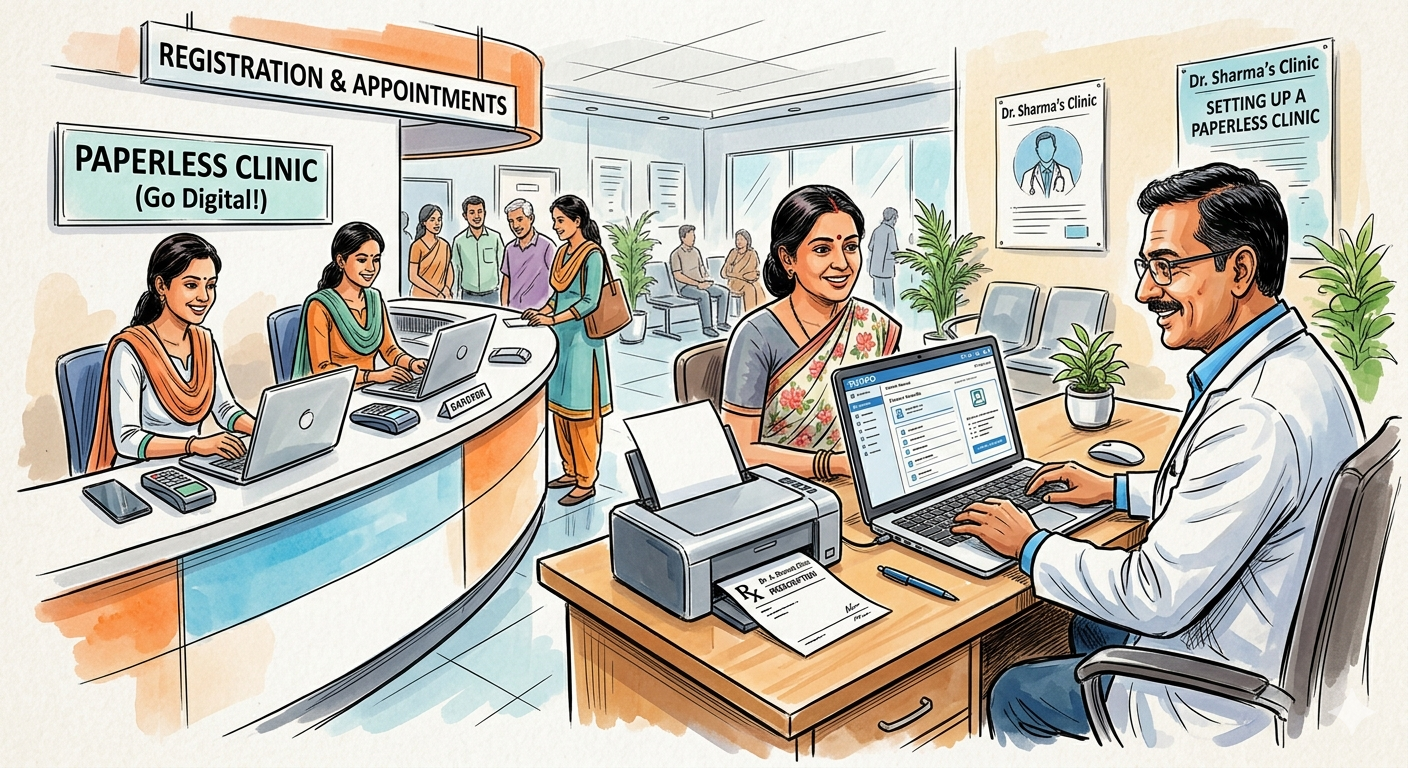
Going paperless doesn’t mean you’ll never print anything again. It means your clinic’s core operations — patient registration, prescriptions, medical history, appointments, billing — are managed digitally rather than on paper registers and prescription pads.
In practice, a paperless clinic looks like this:
- Patients are registered once in a digital system. Their name, age, phone number, and history are available instantly on every future visit.
- Prescriptions are generated on a computer and printed (or sent digitally via WhatsApp) — no handwriting, no illegibility.
- Appointment reminders go out automatically via SMS or WhatsApp — no manual calling.
- Billing is done through the software — no handwritten receipts or manual fee registers.
- Your patient data is backed up automatically — no risk of losing years of records in a flood, fire, or hard drive crash.
You still interact with patients the same way. You still print prescriptions if needed. The difference is that everything behind the scenes runs on software instead of paper.
Step 1: Decide What You Want to Digitize First
Most doctors make the mistake of trying to go fully paperless overnight. A better approach is to start with the two highest-impact areas and expand from there.
Start with prescriptions and patient registration. These two alone will give you 80% of the benefit of going paperless. When every patient is registered digitally and every prescription is generated by software, your OPD immediately becomes faster, more organised, and more professional.
Once you’re comfortable with these, add:
- Appointment scheduling and reminders
- Billing and receipts
- Lab reports and documents (scan and attach)
- Follow-up tracking
There’s no rush to do everything at once. Most clinics are fully paperless within two to three months of starting.
Step 2: Choose the Right Clinic Software
This is the most important decision. The software you choose will determine whether your paperless transition is smooth or frustrating. Here’s what to look for in the context of Indian clinics:
Works without internet during your OPD. This is non-negotiable for most Indian clinics. Internet connections go down. Power fluctuates. Your software must keep working regardless. Look for software that is installed on your computer and runs locally — not cloud-only software that stops when your internet does.
Fast prescription generation. You should be able to generate a complete prescription — diagnosis, medicines, dosage, instructions — in under a minute. If the software is slow or requires too many clicks, your OPD will slow down, not speed up.
Multilingual prescription printing. Many of your patients — especially elderly ones — cannot read English. Your software should be able to print prescriptions in your regional language so patients can follow instructions correctly.
Automatic data backup. Your patient database is one of your most valuable professional assets. Choose software that backs up your data to the cloud automatically, without you having to remember to do it.
Appointment reminders. The software should send automatic SMS or WhatsApp reminders to patients — reducing no-shows without any manual effort from your staff.
MyOPD is the trusted paperless clinic India solution for thousands of independent doctors. It runs installed on your Windows laptop — so it works completely without internet during your OPD — while automatically backing up your data to the cloud once a day. Prescriptions can be printed in 13 Indian languages, and appointment reminders go out automatically. It’s the approach that has made MyOPD the trusted choice for thousands of independent clinics across India.
Step 3: Set Up Your Hardware
Going paperless requires minimal hardware investment. For most clinics, you’ll need:
A Windows laptop or desktop PC. This will be the main workstation where you run your clinic software. Any mid-range Windows laptop (Intel Core i3 or above, 8GB RAM, Windows 10 or 11) is sufficient. If you already have a working Windows laptop, you may not need to buy anything new.
A printer. You’ll still print prescriptions, at least initially. A basic laser printer (black and white) is ideal — fast, low running cost, and reliable. If you already have one, you’re all set.
A receipt or thermal printer (optional). If you want to give patients printed billing receipts, a small thermal printer is inexpensive and fast. Many clinics skip this and simply show the bill on screen or send it via WhatsApp.
A scanner or smartphone (optional). For attaching old paper records or lab reports to a patient’s digital file, a basic flatbed scanner works well. Alternatively, most smartphones have good enough cameras to scan documents using a free app.
That’s it. You do not need a server, a dedicated IT team, or any special networking equipment to run a paperless clinic.
Step 4: Migrate Your Existing Patient Data
This is the step most doctors worry about — and it’s far simpler than it sounds.
You do not need to enter all your old records before you start. This is the most common misconception that delays doctors from making the switch. Here’s the practical approach:
Start fresh from the day you begin using the software. Register every new patient digitally from that day forward. When an existing patient comes in for a visit, register them at that point. Within three to six months, your most active patients will all be in the system.
For critical long-term patients — those with chronic conditions like diabetes, hypertension, or thyroid disorders — you can take 10–15 minutes per patient to enter their key history when they next visit. Your assistant can do this while the patient waits.
Old paper registers don’t need to be destroyed. Keep them in storage. But you’ll find you reach for them less and less over time.
Step 5: Train Your Staff
A paperless clinic runs on your clinic assistant as much as it runs on you. Your assistant will handle patient registration, appointment scheduling, and billing — and their comfort with the software is critical.
Plan for a one-week learning curve. Most assistants adapt quickly, especially with modern clinic software that is designed to be simple. In the first week, things may feel slower than paper. By the second week, registration will be faster than your old register. By the end of the month, your assistant will wonder how they ever managed without it.
Tips for a smooth staff transition:
Keep your old register running in parallel for the first two weeks. This gives your assistant a fallback and builds confidence. Once they’re comfortable with the software, retire the register.
Ask your software provider for a training session. Most reputable clinic software companies — including MyOPD — offer onboarding support to help your staff get started correctly.
Designate one person as responsible for data quality. Consistent patient registration (correct phone numbers, correct spelling of names) will save you significant time in the future.
Step 6: Handle Prescriptions and Billing Digitally
Once your software is set up and your staff is trained, prescriptions and billing become the natural next step.
Prescriptions: Most clinic software lets you build a personal template over time — your commonly prescribed medicines, your preferred formats, your clinic letterhead. Within a few weeks of daily use, generating a prescription becomes a matter of selecting the right medicines from your personal list rather than writing each one from scratch. This alone saves 2–3 minutes per patient in a busy OPD.
Billing: Digital billing through your software means every transaction is recorded automatically. At the end of the month, your total collections, patient count, and outstanding dues are available as a report — without manually tallying a register.
Sending prescriptions via WhatsApp: Many clinic software solutions, including MyOPD, let you send a prescription directly to the patient’s WhatsApp. This is particularly popular with patients who don’t want to carry a physical prescription — and it means the patient always has a copy, reducing calls to your clinic asking for a repeat prescription.
Step 7: Set Up Appointment Reminders
Missed appointments are one of the biggest sources of revenue loss and scheduling headache for any clinic. Once your clinic software is managing appointments, automated reminders are a game-changer.
Good clinic software sends a reminder SMS or WhatsApp message automatically — one day before the appointment, or at any interval you choose. You set it up once; the software handles it forever.
In practice, clinics that use automated reminders report significantly fewer no-shows and a more predictable daily schedule.
Step 8: Go Fully Paperless — at Your Own Pace
By this point, your clinic is already functionally paperless. Most of the key operations — registration, prescriptions, billing, appointments — are running digitally. The remaining step is simply to extend this to the last few areas where paper may still linger.
Lab reports: Scan them and attach them to the patient’s file in your software. Or, if your lab provides digital reports, they can be stored directly.
Referral letters: Generate these from your software using a template rather than handwriting them.
Patient consent forms: If you collect signed consent forms (for procedures, surgeries, etc.), keep the originals in a physical file but note the date and procedure in your software record.
Old paper registers: Once you’ve been running digitally for six months, your old registers can be archived in storage. Keep them for three to five years as a precaution, then safely discard.
Common Concerns — and Honest Answers
“What if my computer crashes?”
This is the most common concern, and it’s a valid one. The answer is: choose software that backs up your data to the cloud automatically. With MyOPD, your data is backed up every day. If your laptop dies tomorrow, your patient records are safe and can be restored on a new machine.
“What if the power goes out?”
Keep your laptop charged during OPD so you have battery backup. A small UPS (Uninterruptible Power Supply) for your printer costs under ₹2,000 and keeps your setup running through short outages.
“My patients are elderly and prefer paper prescriptions.”
Going paperless doesn’t mean stopping paper prescriptions. You print them exactly as before — the difference is that they’re generated by software and look professional, with your clinic letterhead, clear medicine names, and instructions in the patient’s language. Most patients actually prefer this to handwritten prescriptions.
“I’m not tech-savvy.”
Modern clinic software is designed for doctors, not engineers. If you can use WhatsApp, you can use clinic software. And most providers — including MyOPD — offer hands-on support during the initial setup period.
“It will slow down my OPD.”
It will slow things down for the first week. By the second week, it will be the same speed. By the end of the first month, your OPD will be noticeably faster — because patient lookup is instant, prescription generation is faster than handwriting, and your assistant is no longer searching through registers.
The Real Cost of Staying on Paper
Before we close, it’s worth reflecting on what paper-based clinic management actually costs — costs that are invisible because they’re built into your daily routine.
Every time you or your assistant spends five minutes looking for an old patient record, that’s five minutes of OPD time lost. Every prescription that gets lost or misread is a potential patient dissatisfaction or medical error. Every appointment that gets missed because no one called to remind the patient is revenue gone. Every year-end when you try to calculate your total collections from a handwritten register is hours of manual work.
These costs are real. They’re just spread thin enough across each day that they feel like background noise rather than a problem to solve.
Going paperless solves them — permanently.
Ready to Make the Switch?
MyOPD offers a free trial so you can experience a paperless clinic before committing. It’s installed on your Windows laptop, works without internet during your OPD, and backs up your data automatically every day.
Join thousands of Indian doctors who have already made the switch — and wonder how they ever managed without it.