MyOPD Logo MyOPD™ - Software For Clinics and Hospitals

July 2026

Patient Queue Display Software: Turn Your Waiting Room Into a Zero-Confusion Zone

MyOPD’s patient queue display software shows patients real-time token status on any waiting room TV — cutting front-desk interruptions and improving patient experience. Live now in Version 9.2.
Patient Queue Display software details

“Doctor, How Much Longer?” — Your Front Desk Hears This All Day

Ask any clinic manager what interrupts their staff most, and it’s rarely billing or paperwork — it’s the constant stream of patients leaning over the counter to ask where they stand in line. Your receptionist stops mid-task, checks the queue, answers, and starts again. Multiply that by every patient, every hour, every day.

It’s not a staffing problem. It’s a visibility problem — and patient queue display software solves it.

MyOPD’s Live Token Screen is here, and it’s already live for clinics running Version 9.2.


Give Your Staff Their Focus Back

Every “how much longer” is a small tax on your front desk’s attention. It breaks their flow on registration, billing, and phone calls — and it adds up to real lost productivity over a full clinic day.

A visible queue screen answers that question before it’s even asked. Patients glance up, see their token number, and sit back down. Your staff stays heads-down on the work that actually needs them.


How Patient Queue Display Software Changes the Waiting Room Experience

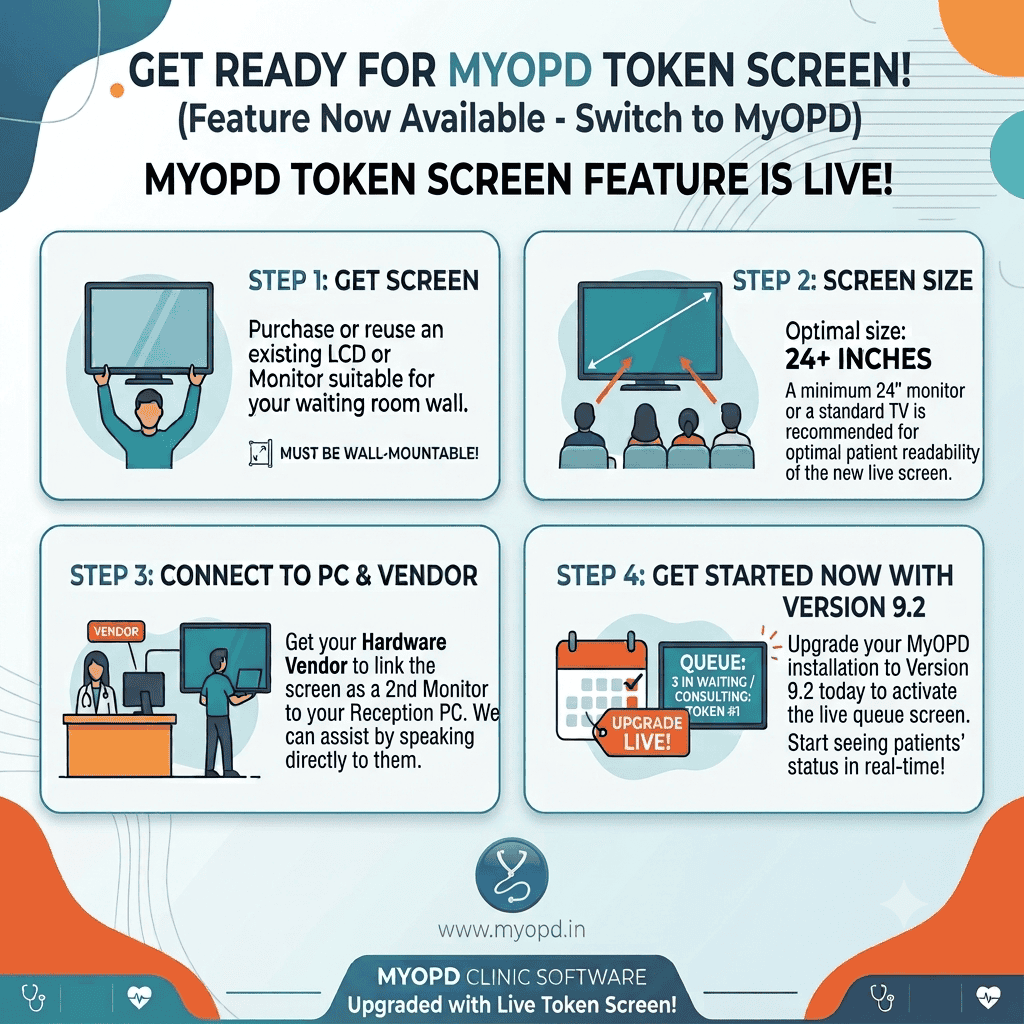
Instead of patients guessing their place in line, your waiting room TV shows it — automatically, in real time:

  • Current token being consulted
  • Total patients waiting
  • Live updates the second your reception team moves someone through

No manual refresh. No shouting names. No “let me check for you.” The screen does the talking, so your front desk doesn’t have to.

A visible queue does something quiet but powerful: it changes how patients experience waiting. An uncertain wait feels far longer than a known wait. A patient who can see “Token #1 is with the doctor, 3 waiting” relaxes. A patient staring at a blank room, wondering if they’ve been forgotten, doesn’t.

The result: calmer staff, calmer patients, and a clinic that feels more organized — because it is.


Why Patient Queue Display Software Matters More Than It Sounds

For a clinic or small hospital, a live queue screen translates directly into:

  • Fewer interruptions at your reception counter
  • Better patient satisfaction and word-of-mouth
  • A more professional, hospital-grade first impression — for the cost of a spare monitor

Setting Up Your Patient Queue Display: 4 Simple Steps

You don’t need new hardware, complex IT work, or a vendor visit. Here’s the whole setup:

Step 1 — Get a screen. Reuse an existing LCD/monitor or TV — anything wall-mountable works.

Step 2 — Size it right. A 24″+ display is the sweet spot for patients to read comfortably from across the room.

Step 3 — Connect it. Have your hardware vendor link the screen as a second monitor to your reception PC. If they need guidance, our team is happy to walk them through it directly.

Step 4 — Upgrade to Version 9.2. That’s what switches the live queue screen on. From that moment, your waiting room reflects real-time status automatically.


Already Using MyOPD? You’re One Upgrade Away

If you’re currently running MyOPD, this patient queue display software is included — no separate purchase, no add-on fee. Just upgrade to Version 9.2 and connect a second screen whenever you’re ready.

It’s a small hardware step that visibly changes how your clinic feels to walk into — for your staff and your patients alike.

Ready to activate it? Reach out to our team and we’ll help you get the second screen connected — often the same day.

👉 www.myopd.in


MyOPD Clinic & Hospital Management Software — built for the way Indian clinics actually run.

Patient Queue Display Software: Turn Your Waiting Room Into a Zero-Confusion Zone Read More »
Clinic Software Data Migration Made Easy — MyOPD Moves Your Entire History

Clinic software data migration with MyOPD

The Real Reason Doctors Don’t Switch Clinic Software

Clinic software data migration is the single biggest barrier doctors face when considering a switch.

The software is slow. Support is poor. Features haven’t kept up. Billing is a mess. But switching still feels impossible — because years of patient records, prescriptions, visit histories, and diagnosis data are locked inside the old system.

So doctors stay. Not because the old software is good. But because leaving feels like abandoning their patients’ entire clinical history.

We understand that. And we decided to solve it.


MyOPD Completed a Full Migration — Here Are the Numbers

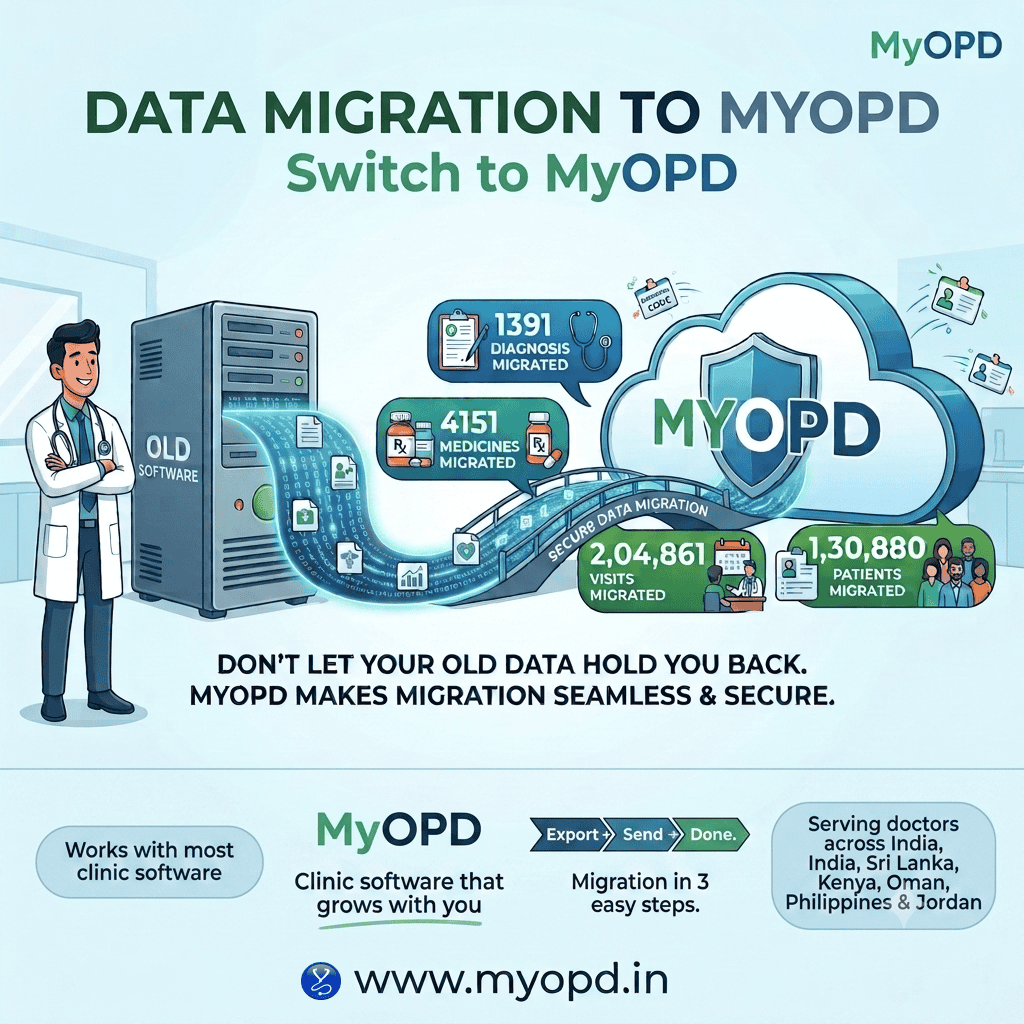
We recently completed a clinic software data migration for a practice moving from their legacy system into MyOPD. The numbers speak for themselves:

What Was Migrated Count
Patient Records 1,30,880 (130,880)
Clinical Visits 2,04,861 (204,861)
Medicines 4,151
Diagnoses 1,391

Over 1.3 lakh patients. Over 2 lakh visits. Every medicine. Every diagnosis. All moved into MyOPD — intact, structured, and ready to use from day one.

This was not a partial migration or a “we’ll try our best” situation. This was a complete, verified transfer with zero data loss.


How the Process Works

The migration process with MyOPD is designed to require minimal effort from you. You do not need to be technical. You do not need to coordinate between two software companies. You do not need to re-enter a single record by hand.

Here is all that is required from your end:

Step 1 — Export your data from your current software Most clinic software allows you to export patient and visit data as an Excel file. If you are not sure how, your current vendor’s support team can help — it is a standard feature.

Step 2 — Send the file to us Share the export file with The MyOPD Team. That’s it. Your job is done.

Step 3 — We handle the rest Our team maps your data fields, validates the records, and imports everything cleanly into your MyOPD database. We verify the counts. We check for gaps. We make sure nothing is lost.

Step 4 — You start using MyOPD with your full history intact Your patients are there. Their visits are there. Their medicines and diagnoses are there. You pick up exactly where you left off — on a better platform.


What Changes After Migration

Switching software is no longer a choice between “keep your data” and “get better software.” You can have both.

  • Search any patient and see their complete visit history from your previous system
  • Continue prescriptions without losing reference to past medications
  • Maintain diagnostic continuity — no blank slates, no re-interviewing patients
  • Your staff works with familiar records from the very first day

This migration covered more than a decade’s worth of clinical data for a busy practice. The transition was smooth. The doctor started seeing patients on MyOPD the very next day.

If you’d like to see everything MyOPD offers beyond migration — from OPD and IPD management to billing — go through our home page.


Works with Most Clinic Software

Worried your current software is not supported? We have handled migrations involving Excel and CSV exports from a range of clinic and hospital management systems used across India. If your software can export patient and visit data in this format — and in most cases it can — your migration is likely feasible.


Talk to The MyOPD Team Today

Send us a sample export file from your current software, and we’ll tell you within 24 hours whether your migration is possible.

📞 Contact The MyOPD Team Visit www.myopd.in or reach out to us directly to get started.

Your patients’ history belongs with you — not with your old software vendor.


MyOPD is a clinic and hospital management platform built for Indian doctors, trusted across India, Kenya, Oman, and Jordan. Features include OPD management, IPD and Billing.

Clinic Software Data Migration Made Easy — MyOPD Moves Your Entire History Read More »

Happy Doctors Day 2026

Happy Doctors Day 2026 Read More »