
MyOPD’s patient queue display software shows patients real-time token status on any waiting room TV — cutting front-desk interruptions and improving patient experience. Live now in Version 9.2.
“Doctor, How Much Longer?” — Your Front Desk Hears This All Day
Ask any clinic manager what interrupts their staff most, and it’s rarely billing or paperwork — it’s the constant stream of patients leaning over the counter to ask where they stand in line. Your receptionist stops mid-task, checks the queue, answers, and starts again. Multiply that by every patient, every hour, every day.
It’s not a staffing problem. It’s a visibility problem — and patient queue display software solves it.
MyOPD’s Live Token Screen is here, and it’s already live for clinics running Version 9.2.
Give Your Staff Their Focus Back
Every “how much longer” is a small tax on your front desk’s attention. It breaks their flow on registration, billing, and phone calls — and it adds up to real lost productivity over a full clinic day.
A visible queue screen answers that question before it’s even asked. Patients glance up, see their token number, and sit back down. Your staff stays heads-down on the work that actually needs them.
How Patient Queue Display Software Changes the Waiting Room Experience
Instead of patients guessing their place in line, your waiting room TV shows it — automatically, in real time:
- Current token being consulted
- Total patients waiting
- Live updates the second your reception team moves someone through
No manual refresh. No shouting names. No “let me check for you.” The screen does the talking, so your front desk doesn’t have to.
A visible queue does something quiet but powerful: it changes how patients experience waiting. An uncertain wait feels far longer than a known wait. A patient who can see “Token #1 is with the doctor, 3 waiting” relaxes. A patient staring at a blank room, wondering if they’ve been forgotten, doesn’t.
The result: calmer staff, calmer patients, and a clinic that feels more organized — because it is.
Why Patient Queue Display Software Matters More Than It Sounds
For a clinic or small hospital, a live queue screen translates directly into:
- Fewer interruptions at your reception counter
- Better patient satisfaction and word-of-mouth
- A more professional, hospital-grade first impression — for the cost of a spare monitor
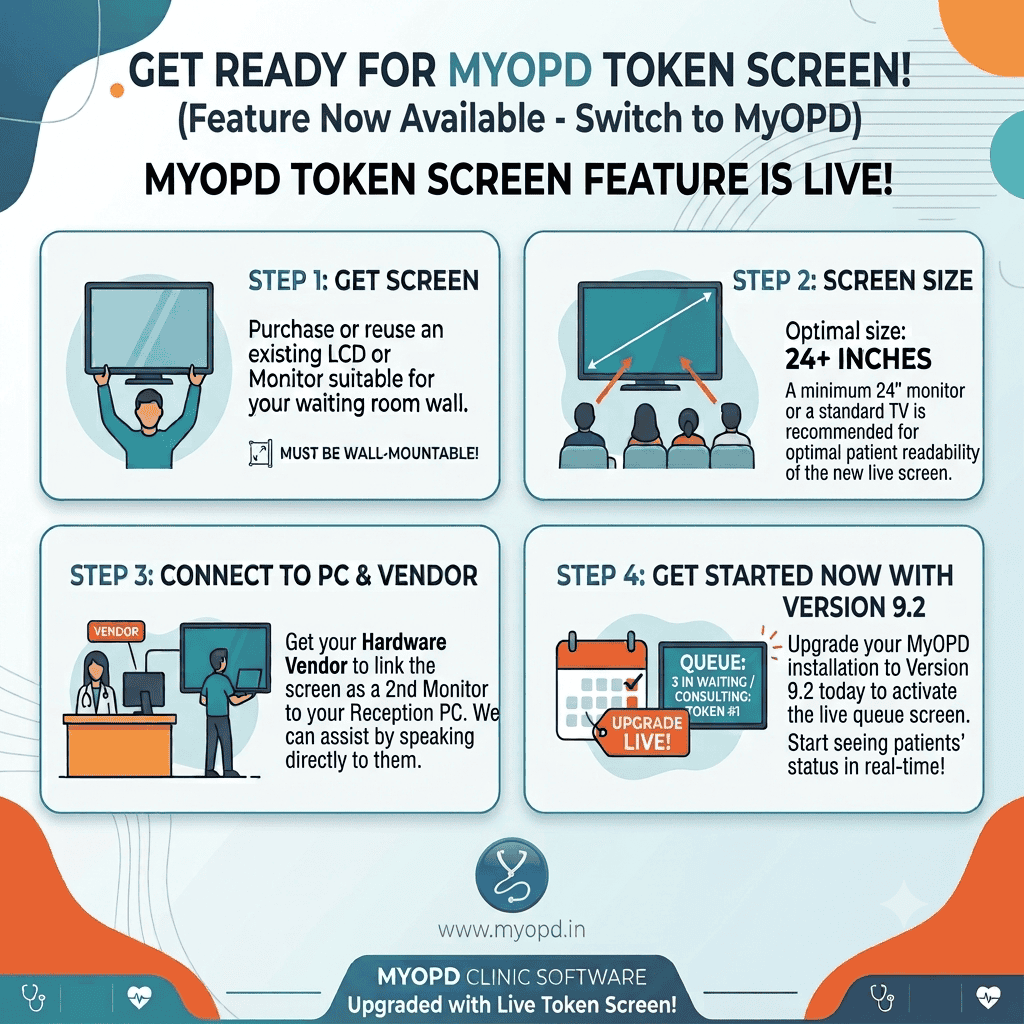
Setting Up Your Patient Queue Display: 4 Simple Steps
You don’t need new hardware, complex IT work, or a vendor visit. Here’s the whole setup:
Step 1 — Get a screen. Reuse an existing LCD/monitor or TV — anything wall-mountable works.
Step 2 — Size it right. A 24″+ display is the sweet spot for patients to read comfortably from across the room.
Step 3 — Connect it. Have your hardware vendor link the screen as a second monitor to your reception PC. If they need guidance, our team is happy to walk them through it directly.
Step 4 — Upgrade to Version 9.2. That’s what switches the live queue screen on. From that moment, your waiting room reflects real-time status automatically.
Already Using MyOPD? You’re One Upgrade Away
If you’re currently running MyOPD, this patient queue display software is included — no separate purchase, no add-on fee. Just upgrade to Version 9.2 and connect a second screen whenever you’re ready.
It’s a small hardware step that visibly changes how your clinic feels to walk into — for your staff and your patients alike.
Ready to activate it? Reach out to our team and we’ll help you get the second screen connected — often the same day.
MyOPD Clinic & Hospital Management Software — built for the way Indian clinics actually run.