
MyOPD ZIP allows you to check the details of the Patient Referrals.
How to view Patient Referral Details?
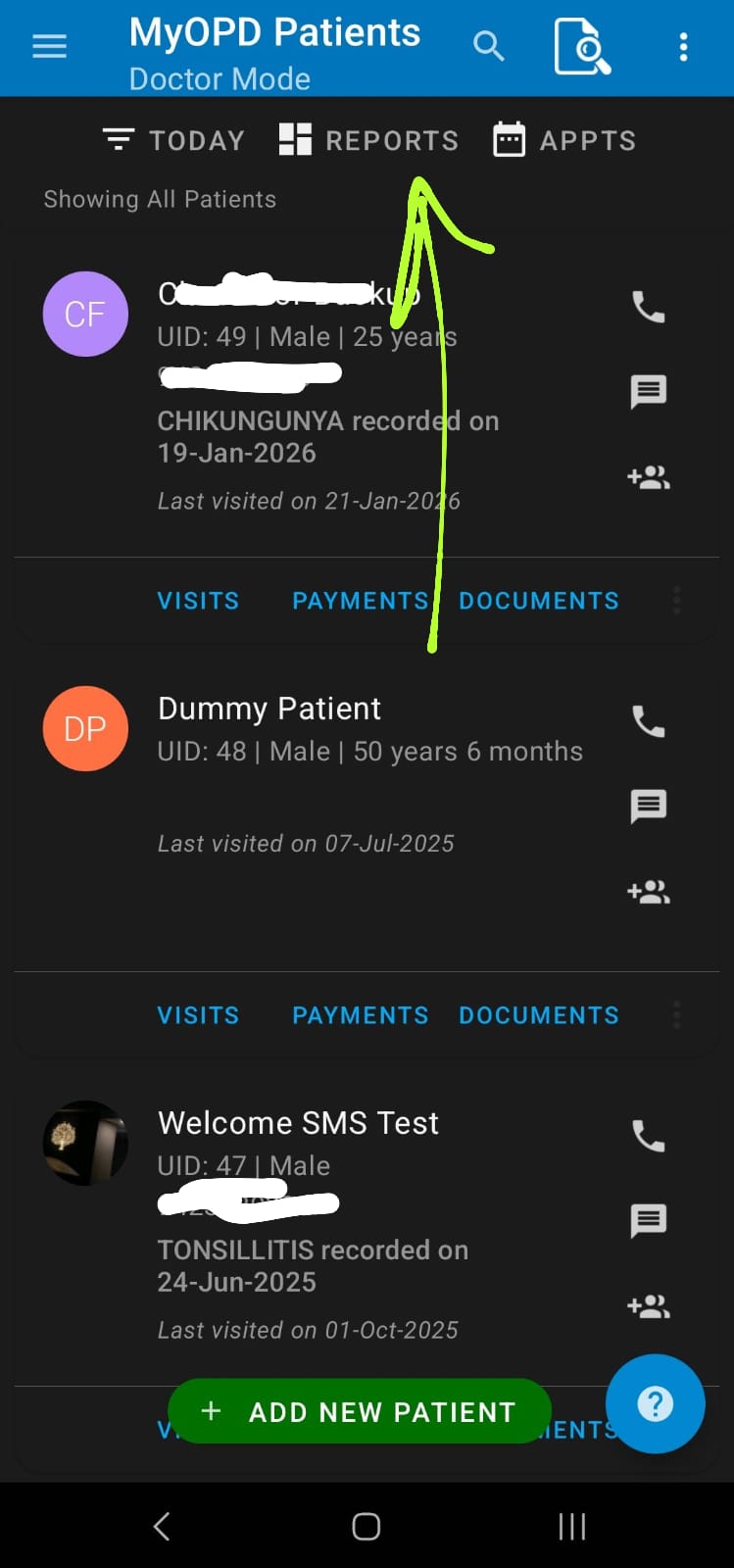
- Click Reports option at the top of Patient List
- The next screen shows the Patient Referral details for the selected date range. Referred By as well as Referred To details are shown here.
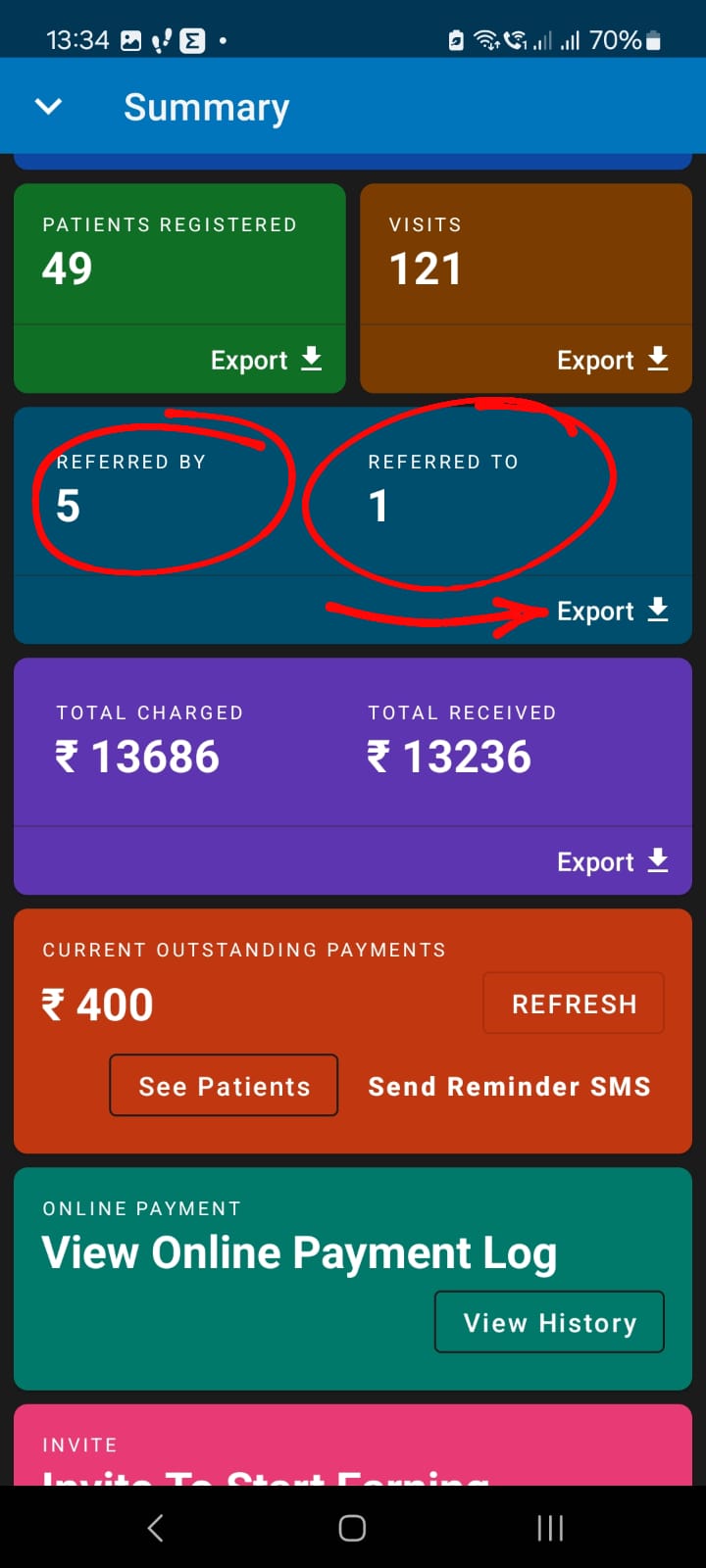
- Use the Export option to check the details. When you export Referral Details, it shows
- Total Patients Referred By each Doctor
- Total Patients Referred To the Doctor
- List of Referred By and Referred To patients
Make sure you are using the latest version of MyOPD ZIP Android app.